





How to Choose a K-12 School Finance Platform: A Step-by-Step Buyer’s Guide

Buyer’s guide takeaway: The 5 steps to choosing the right K-12 school finance platform
- Understand your blind spot. Identify the gap between your ERP/SIS and how school-generated funds actually move. Cash collections, spreadsheet reconciliations, and shadow systems are the norm in most districts, and that’s exactly where fraud risk lives.
- Define your current state. Map your transaction volume, staff workflows, and integration landscape before talking to any vendor. Rough numbers are fine; the goal is to walk into every vendor conversation with a clear picture of what your district is working with.
- Define your requirements. Translate your current state into clear platform criteria across capabilities, integrations, and compliance. Know what the platform needs to do before a vendor tells you what it can do.
- Evaluate vendors. Pressure-test financial visibility, audit readiness, and real-world usability, not just features on a slide deck. The questions that reveal the most are the ones vendors don’t lead with in a demo.
- Test the demo. Send real scenarios in advance, watch how vendors handle them, and calculate true total cost of ownership before signing. The published license fee is rarely what the platform actually costs your district over five years.
Your Student Information System (SIS) knows your students. It just doesn’t know where their money went.
It knows their schedules, grades, attendance records, and parents’ contact information. But it can’t tell you whether the $2,800 collected for the band trip last Thursday has been deposited, which GL account it should be posted to, or whether the band fund balance is accurate heading into K-12 audit preparation season.
School districts often discover this the hard way. They enable the payment add-on inside their SIS, thinking they’ve solved school-level finance in one move. Parents can pay fees online, tied to their child’s account, and yes, it’s convenient for families.
But six months later, the bookkeeper is still exporting payment data into spreadsheets, manually coding transactions to GL accounts, and reconciling totals against bank deposits by hand.
The online payment button made things easier for parents,
The online payment button made things easier for parents, but it didn’t give the district what it actually needs: school accounting software that tracks every dollar from collection to deposit.
If you lead finance for a K-12 district, choosing a school finance platform is one of the most important decisions you’ll make. The right platform protects public funds, supports the people who manage students’ money every day, and gives your district visibility it doesn’t have today. The wrong one becomes another system staff work around.
A solid evaluation process (this buyer’s guide) focuses on the questions that predict success, and these aren’t always the questions vendors lead with on a demo:
- Will this give us real-time visibility into school-generated funds?
- Will it work with the ERP and SIS we already run?
- Will bookkeepers still be using it a year after go-live?
Choosing the right K-12 school finance platform starts with understanding where your district stands today and what it needs the platform to do. It means defining your evaluation criteria before you talk to vendors, pressure testing their claims with live scenarios, and confirming total cost of ownership before signing anything. It also means getting the right people inside your district aligned, because a platform that school staff and parents don’t actually use won’t deliver value, no matter how strong the technology is.
This buyer’s guide walks through the five steps that lead to a successful platform selection.
Step 1: Understand your school finance blind spot
Before you start evaluating platforms, get clear on what you’re trying to fix. The problem isn’t that your district lacks processes and systems — you have an ERP, you have an SIS, and they work well for what they were built for.
The challenge is the daily reality of how school generated funds actually move: collected at the front office in cash, tracked in a spreadsheet on one bookkeeper’s laptop, reconciled by hand against bank statements weeks later. That gap is what a school finance platform exists to close.
KEV Group’s research into 93 verified K-12 fraud cases found that 97% of school fraud comes from inside the district, with 68% occurring at the school level rather than the central office. The issue isn’t bad actors. It’s the absence of systems that protect everyone, including the people doing the work.
Why your existing K-12 systems aren’t enough
Your ERP and SIS were each built for a specific purpose, and school finance wasn’t it.
ERPs were built for the district office and the accountants who live there: payroll, district budgets, grants and federal compliance, procurement, assets and capital management. They’re indispensable for what they were designed to do. They were never engineered for the volume, granularity, or real-time pace of school-level transactions. The ERP speaks in chart-of-account strings like 100-20-4000-500-1234-99. A school bookkeeper speaks in plain terms: “Science – Field Trip.” Forcing school staff to translate between those languages every day creates errors, frustration, and calls to IT — and giving bookkeepers broader access to fix it would create new risks the district doesn’t want.
There’s also a practical reason ERPs aren’t built to absorb thousands of small school-level transactions: it buries the signal CFOs actually need. A district that pushes every $20 yearbook fee and $5 athletics ticket through the ERP ends up with reporting that’s harder to read, not easier.
SIS platforms were built for educators and administrators, not finance teams. They handle student records, enrollment, scheduling, grades, and parent communication well. Some now offer course fee tracking as an add-on. But course fees are one slice of what schools actually collect. Activities, fundraisers, library fines, athletics tickets, cash and check payments, point-of-sale transactions — none of that fits cleanly inside an SIS, and none of it posts automatically to the district’s GL.
How shadow systems are born
When the official tools don’t fit the job, schools build their own:
- A teacher sets up a personal Venmo to handle a fundraiser.
- A bookkeeper starts a spreadsheet to track who paid for the field trip.
- A coach uses a cashbox and a handwritten log to manage gate receipts.
Every one of these workarounds exists because someone needed to do their job and the official system wasn’t built to help them.
The result is a parallel financial system the district can’t see. Collections happen outside a central finance system. Disbursements get made at the building level without oversight. School-level ledgers live in spreadsheets that may or may not survive a staff change. And when K-12 audit season comes around, finance teams spend weeks chasing receipts and reconciling deposits against records that were never designed to talk to each other.
The instinct most districts follow when this gets uncomfortable is to add another tool. A new payment app for athletics. A spreadsheet workaround for field trips. Each one solves a narrow problem and creates two new ones: another integration to maintain, another data source to reconcile, another place where money can disappear from district view. What districts really need is a purpose-built third pillar that sits alongside the ERP and SIS and closes the gap they were never built to close.
What the status quo actually costs
Since 2024, more than $49 million has gone missing from K-12 schools across North America in publicly reported cases alone. KEV Group’s analysis of those cases shows that 62% involved skimming cash from activity fees, fundraisers, or ticket sales, almost always at the school level. Peer-to-peer payment fraud, while only 10% of incidents, represents 77% of total losses.
The cost shows up as fee collection shortfalls, misappropriated funds, fraud exposure, and audit findings — and beneath all of it, staff time consumed by work that should be automated.
And internal fraud is just one point of risk. School district wire fraud has become incredibly sophisticated; all it takes is for one of your vendors to have a data breach. Even if your district is perfectly secure, it could still lose millions. The only protection is tighter processes and a stronger system to enforce them.
Step 2: Define your current state before you define your requirements
Before you talk to a single vendor, get your team aligned on three key things. The platforms you evaluate, the questions you ask them, and the way you score what you see should all flow from the picture you build here.
What success looks like for your district
Before features, integrations, and pricing — agree on what good looks like a year after go-live. The specifics will vary, but a few outcomes show up on almost every successful district’s list:
- Real-time visibility into school generated funds at every level: student, activity, school, district
- Bookkeepers spending their time on analysis instead of manual reconciliation
- Audit prep that runs as a routine, not a fire drill
- Parents using a single login for every kind of school payment
- A clean, traceable path from every dollar collected at the school level to the right line in your ERP
Get your team to agree on this list before you take a demo. It becomes the rubric every vendor gets measured against.
The actual volume and shape of your school-generated funds
Most CFOs underestimate how much money moves through their schools, because the systems they have in place today don’t measure it well. Before you talk to vendors, build a rough picture of what you’re working with:
- How many schools, and what’s the rough mix of elementary, middle, and high schools?
- What’s the approximate annual transaction volume across school activity funds, fees, fundraisers, and athletics?
- What’s the approximate dollar volume passing through school-level accounts each year?
- How much of that is cash and check versus digital?
- How many bookkeepers, and how much of their week is currently spent on reconciliation?
Rough numbers are fine. The goal is to walk into every vendor conversation with a clear picture of what your district is actually working with.
What the school finance platform needs to integrate with
The school finance platform you pick will need to talk to the rest of your district’s tech stack. Before you start evaluating vendors, get specific about what it has to connect to and how those connections need to work.
- What ERP are you running, and what version?
- What SIS, and how is it deployed (cloud, on-prem, hosted)?
- Who owns the integration relationship inside IT, and what’s their bandwidth?
- Are there state reporting requirements that constrain how data has to flow?
The more specific you can be here, the easier it becomes to separate vendors who actually integrate from vendors who say they do.
Step 3: Define what your platform needs to do
You’ve defined your current state and your must-haves. Now translate them into platform requirements. The goal is to walk into vendor conversations knowing exactly what each tool needs to do for your district
Three categories matter most: what the platform handles, how it connects to the systems around it, and what security and compliance standards it meets.
Core capabilities
- Unified fee management for everything schools collect.
Course fees, activity fees, athletics, fundraisers, field trips, library fines, yearbooks. A platform that handles only course fees has only solved a slice of the problem — and the slice it didn’t solve is where most of the risk lives. Fees should auto-assign to the right students based on SIS data, without bookkeepers re-keying names or chasing rosters. - Every payment method is treated the same way.
Some parents pay online. Some drop off cash at the front office. Some send a check. Some use mobile wallets. The platform should process all of them and produce the same audit trail, the same receipt, and the same GL posting regardless of method. If a vendor’s demo glosses over cash and check handling, take note. Cash is where most school-level fraud happens, and a platform that quietly ignores it is making your problem look smaller than it is. - Real-time financial transparency at every level.
A finance director should be able to answer “how much did we collect for athletics this month across all schools” in under a minute. A principal should see their building’s activity-fund balances without filing a request. A teacher should know who has paid for the field trip without emailing the bookkeeper. A parent should see what they owe, what they’ve paid, and where their money went — on their phone, without calling the school. If any of those answers requires asking IT or waiting on a custom export, the visibility isn’t real. - Guided reconciliation built for bookkeepers.
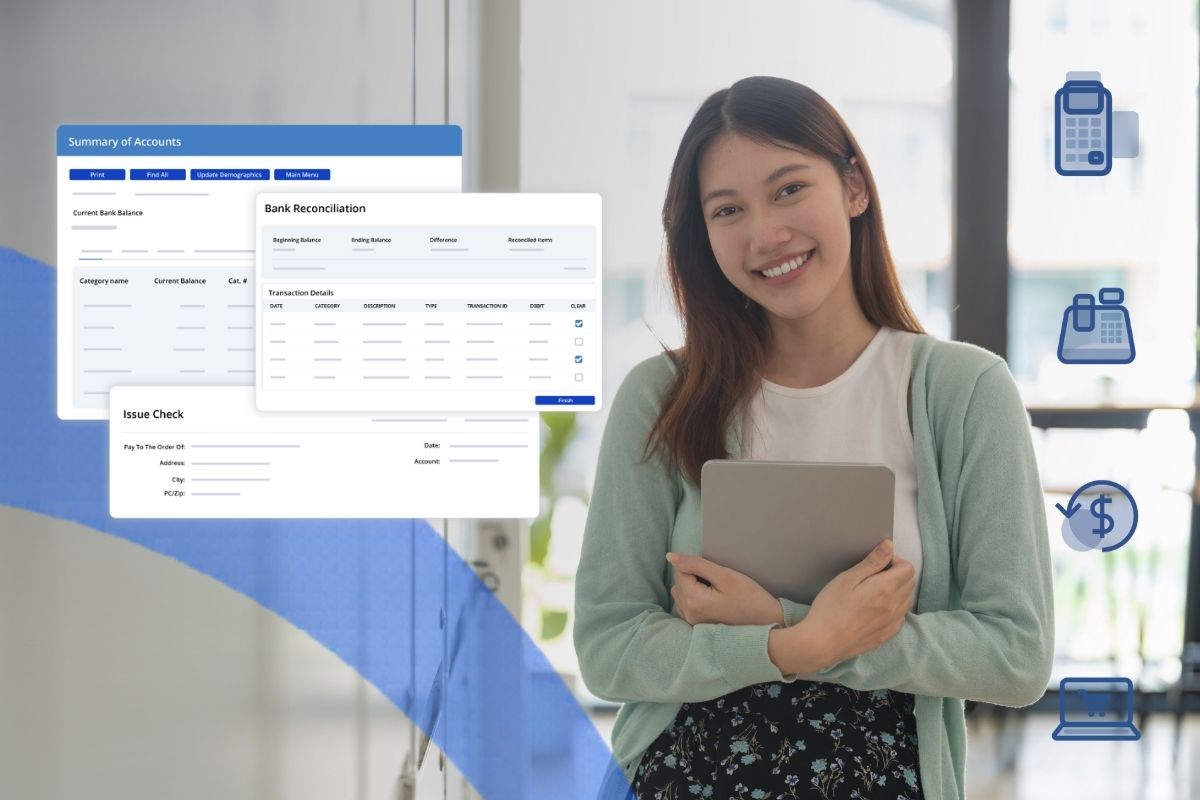
Reconciliation is one of the most time-consuming jobs a bookkeeper does, and most platforms make it harder than it needs to be. The platform should walk bookkeepers through reconciliation step by step — enter beginning and ending balances, clear deposits and checks, see discrepancies flagged before they cause problems. Reconciliation should be a checkpoint, not a multi-day project at the end of every month.
Integration requirements
A school finance platform connects to the systems your district already runs: your ERP, your SIS, and the banks where school funds are deposited. Those connections are what turn a standalone platform into one that fits the way your district actually operates.
- ERP integration.
This is the make-or-break item, and it’s where most general-purpose tools fall apart. You need automated GL posting in real time. Not nightly file exports, not “we can build a custom integration for an extra fee,” not manual journal entries. Every transaction processed through the platform should post to the correct account in your ERP with proper coding and full documentation, automatically. The integration should be specific to your ERP — whether you’re running Skyward, PowerSchool, Tyler, Frontline, or another K-12 ERP. - SIS integration.
Should run continuously, not in nightly batches that create a 24-hour drift between systems. New enrollments should appear in fee management with appropriate fees assigned. Transfers and graduations should flow through automatically. If a student moves from Lincoln Elementary to Jefferson Middle in October, every fee, balance, and outstanding obligation should follow them without a bookkeeper touching anything
Compliance and security requirements
These aren’t items to negotiate. The platform you choose will hold student records, payment information, and public funds — and the compliance and security requirements below exist to protect them.
- SOC 1 Type II and SOC 2 Type II.
Your vendor should already hold both, with current attestations available.
- PCI DSS.
Mandatory for any platform processing credit card transactions. Ask for the current Attestation of Compliance. - FERPA and COPPA
Documented policies and technical controls protecting student privacy. Go past “we’re FERPA compliant” and ask about access controls, data retention, and incident response. - Role-based access control with separation of duties.
Permissions defined by role so bookkeepers, principals, and district finance teams each see only what they need. - Data encryption at rest and in transit.
AES-256 and TLS 1.2+ are reasonable floors for any platform handling student and payment data. - Tamper-proof audit trails.
Every transaction, change, and access event logged with timestamp, user, and action. Immutable, exportable, and structured the way auditors expect to see them.
A vendor who can answer all of this clearly, with current documentation in hand, is the right kind of partner for a platform handling public funds and student data.
Step 4: Evaluate vendors against the right criteria
With your requirements defined, the next step is evaluating which platform delivers. Three areas tend to be the most revealing: financial visibility and control, audit readiness, and whether the people in your buildings will use it. For each, this section in this buyer’s guide covers diagnostic questions to bring to vendors and red flags worth watching for.
Financial visibility and control
This is where most platforms fail in practice, because most of them weren’t built for school finance. A district-level dashboard that refreshes nightly is not real-time visibility. A payment app that produces a CSV export is not GL integration.
The diagnostic questions worth bringing to a vendor:
- Can you show me a live dashboard with real-time balances across every school, broken down by activity and account?
- Does every transaction post to the correct GL account automatically? Walk me through the path from a $5 cash payment at the front desk to the journal entry in our ERP.
- How does the platform handle partial payments, refunds, payment plans, and a student who transfers mid-year with an outstanding balance? Show me each.
Red flags worth taking seriously: demos that lean hard on online payments and avoid cash and check workflows; vague answers about ERP integration that translate to “we can export files”; manual data entry baked into routine tasks; any claim of real-time visibility that doesn’t include cash. If a vendor can’t trace a $5 cash transaction from collection to GL in front of you, they can’t trace it in your district either.
Audit readiness and compliance
Compliance shouldn’t be an afterthought or a separate module. It should be built into how the platform handles every transaction, every approval, every reconciliation.
What to ask:
- Are all transactions automatically receipted and logged with full audit trails — including cash, check, and POS?
- Can the platform produce the specific reports your auditors typically request, in the formats they expect?
- What internal controls are built in to prevent and detect irregularities?
- How are reversals, refunds, and corrections handled, and is the original transaction preserved in the audit trail?
- What does an auditor see when they sit down with your platform? Can you show me?
Red flags worth taking seriously: reliance on manual processes to maintain audit trails; gaps in transaction logging across payment methods; vendors who can’t produce sample audit reports or current SOC 2 attestations on request.
User experience and adoption
This is the section that determines whether the platform you choose actually changes day-to-day life in your buildings, or just becomes another login bookkeepers, principals, and parents avoid.
What to look at:
- Sit a bookkeeper down in front of the platform during the demo and ask them to set up a fee from scratch.
- Ask for typical first-year adoption rates across schools.
- Ask how new staff get onboarded eighteen months after go-live, when the implementation team has moved on.
- Ask for three district references at your size or larger that you can call directly.
Red flags: interfaces that require multi-day training to use the basics; demos that focus on features instead of daily workflow; reluctance to share customer references.
Step 5: Pressure test the demo
The best vendor evaluations don’t happen in a conference room watching a slide deck. They happen when you put the platform in front of work that looks like your district’s actual operations, with the people who’ll be using it.
By this point you’ve narrowed to two or three vendors. Here’s how to choose the right one.
Send scenarios in advance and watch what happens
Generic demos let vendors lead with their best foot forward. Specific scenarios force them onto your terrain. A week before each demo, send the vendor three or four operational scenarios drawn from your district. Something like:
- A bookkeeper needs to set up a field trip fee for 200 seventh graders, with three permission tiers and the option to pay by cash, check, or online. Walk us through it.
- A field trip gets cancelled and we need to issue 47 partial refunds. Show us each step.
- A district finance director wants to review activity fund variance across 12 schools and flag the outliers for follow-up. Show us the report and the workflow.
What you’re watching for isn’t whether the vendor can complete the task. It’s how many clicks it takes. Whether the rep has to apologize for things that don’t work the way they’re supposed to. Whether they bring in a product expert or wave the question off. Whether the workflow makes sense to a bookkeeper sitting in the room — because she’s the one who’ll be doing it 200 times a year.
Calculate total cost of ownership, not the license fee
The published price is rarely what the platform costs your district. The places where TCO surprises K-12 buyers are predictable, and they’re worth pricing into the conversation upfront rather than discovering in year two.
The big ones to model out over a five-year horizon:
- Implementation and configuration fees, including any work to set up your ERP and SIS integrations specifically.
- Annual training, factoring in K-12 staff turnover. A bookkeeper who leaves in year two is a bookkeeper you’ll have to train in year two.
- Support tier costs. The base support package may not include the response times you need during go-live or back to school season.
- Integration maintenance. Custom integrations need attention every time your ERP or SIS gets updated. Find out who pays for that and on what schedule.
- Internal staff time for ongoing administration. Every district underestimates this. Ask references how many FTEs they have on the platform and whether that’s grown since go-live.
Your next move
Behind every dollar moving through your schools is a student, a family, a teacher, a bookkeeper. The right platform protects all of them — by giving your district visibility into where the money is, controls that catch problems before they grow, and workflows that respect the people doing the work. That’s worth getting right.
The districts that do get it right tend to start in the same place. They understand where they are today and what they need before they take a vendor call. They bring in the people who’ll live with the platform every day — bookkeepers, principals, IT, finance. And they choose a platform built specifically for K-12 school finance, one that works alongside the ERP and SIS rather than asking either to do work it was never designed for.
KEV Group is the only platform purpose-built for K-12 school finance. More than 28,000 schools across North America trust KEV to manage over $8 billion in school-generated funds each year. If you’ve worked through this buyer’s guide and want to see how KEV measures up against the criteria you’ve defined, book a call with our team and we’ll walk through it together.
Get the latest K-12 finance best practices delivered to your inbox.
Recommended For You